Guide for booking platforms
How Tourist.com works for booking platforms
What a listed platform gets
The directory sits on partners.tourist.com, the same site where hotels, tour operators and restaurants already manage their Tourist.com pages. So the people browsing it are exactly the people who might need you. A listed platform gets four things:
- A card in the directory. Logo, one line about what you do, the regions you cover, and a little Free plan tag if you have one. Filterable by industry.
- A page of your own, with the description, key features, languages and pricing, a Visit website button, and SoftwareApplication markup so Google and the AI engines know what they're looking at.
- A dashboard where you change any of that yourself. If the profile is already live, edits get a quick look from us first.
- And the thing that matters most: every business on your system can put a Book online button on its Tourist.com page, pointing at your booking page.
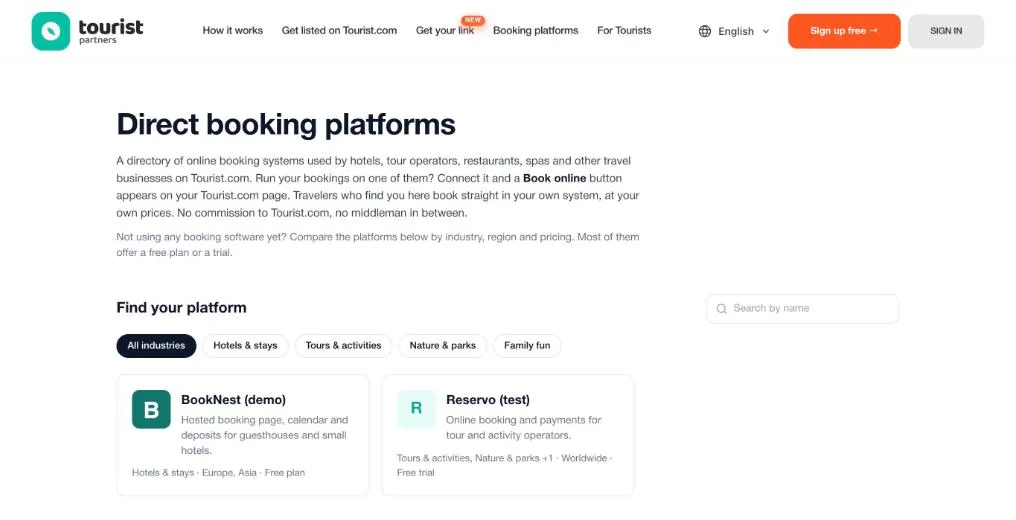
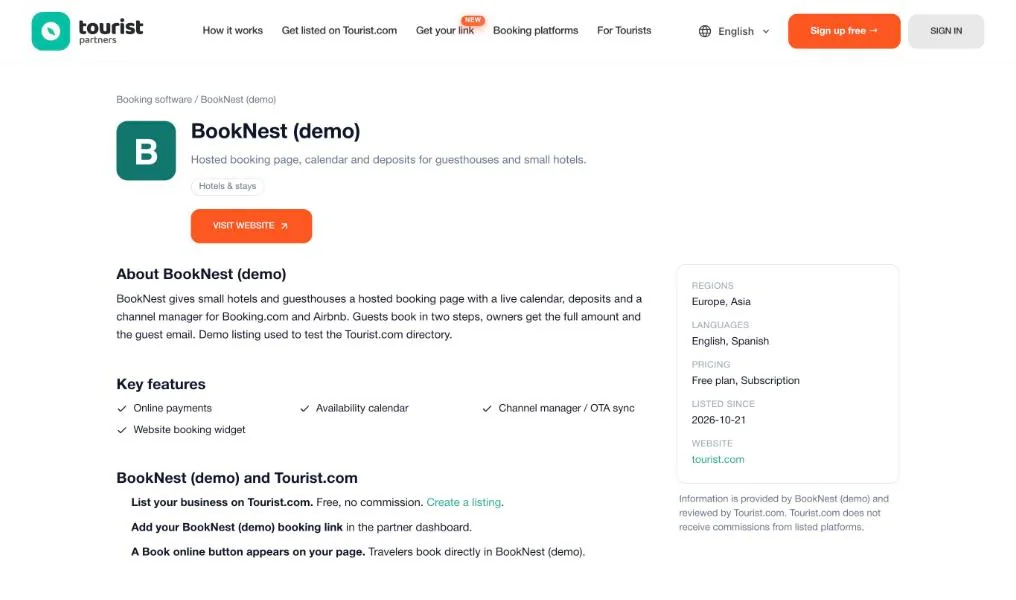
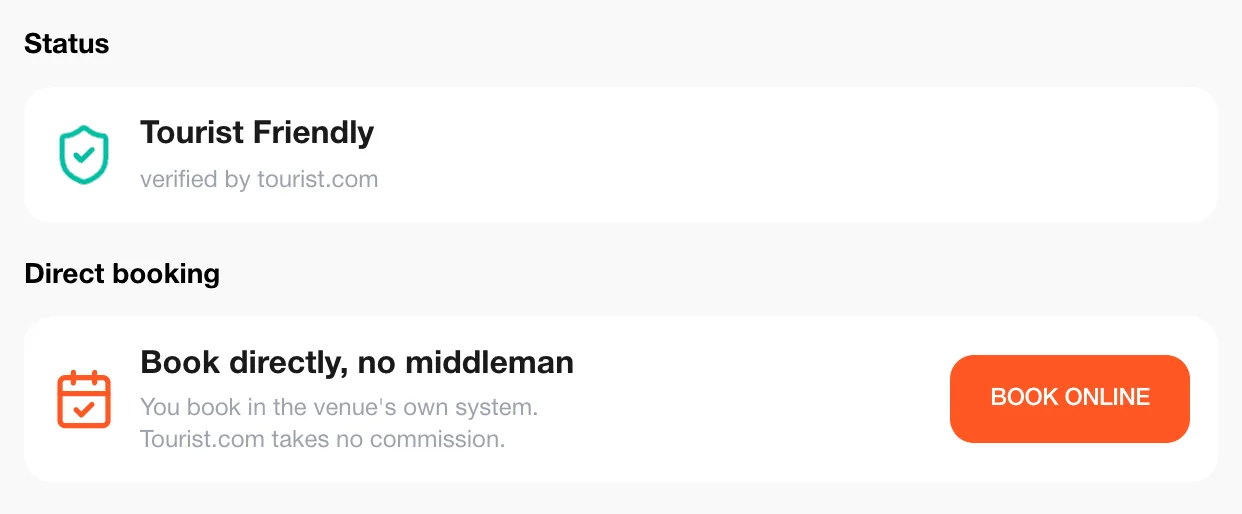
Where the Book online button appears
Every business page on tourist.com has a sidebar: status, contacts, opening hours. Once the business adds a booking link, a Direct booking block shows up right under the status with an orange Book online button. Tap it and a new tab opens on your booking page. The guest never pays through us; we're not in that flow at all.
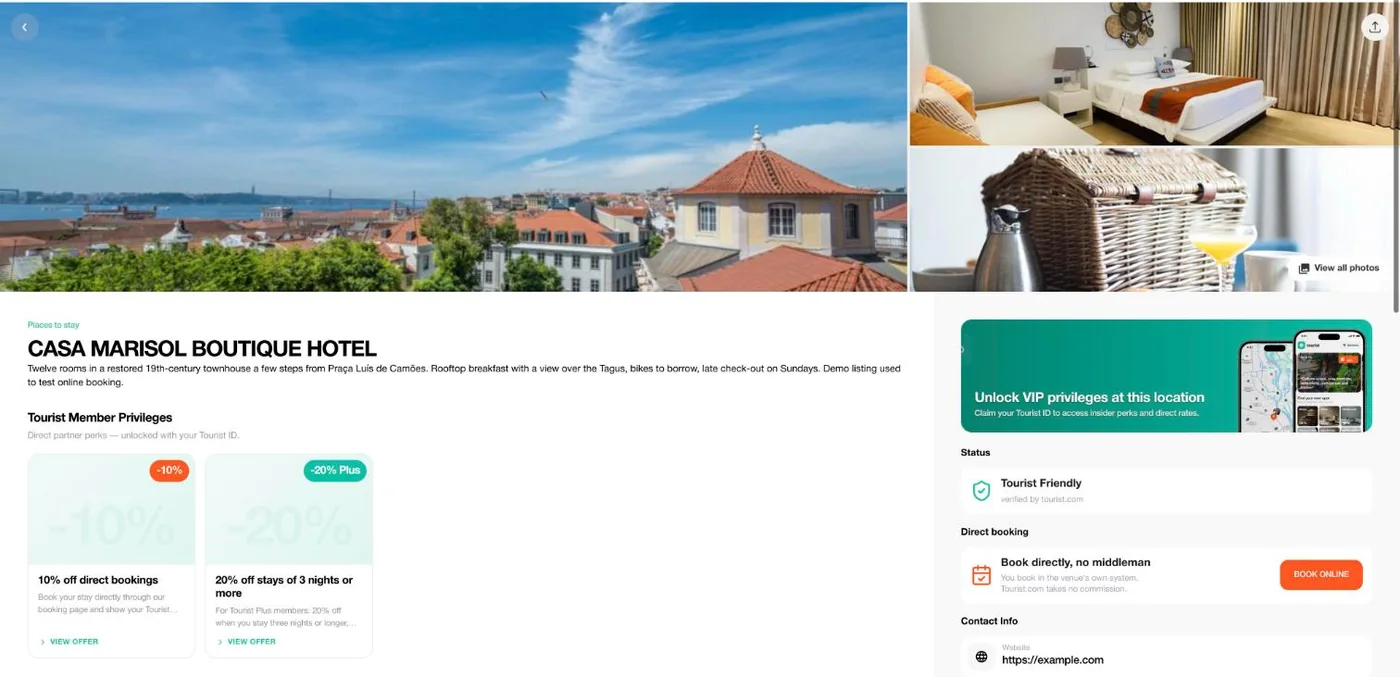
And here's the full page, so you can see where the block lives next to the photos and the offers. Travelers coming from Google, from the app's web links or from our city catalogs all land on this same page.
Where the business pastes your link
The owner logs in to the partner dashboard, opens their venue and clicks the Direct booking tab. One field, Booking link, one Update button. They paste the public link to their booking page in your system, hit Update, done. The button is live within a minute. We don't moderate the link, and there's no code or plugin on their side.
What counts as a link? Anything public that finishes a booking: a hosted page like hotel.yourplatform.com, a widget URL, a deep link into one listing. The only rule is that it has to open without logging in.
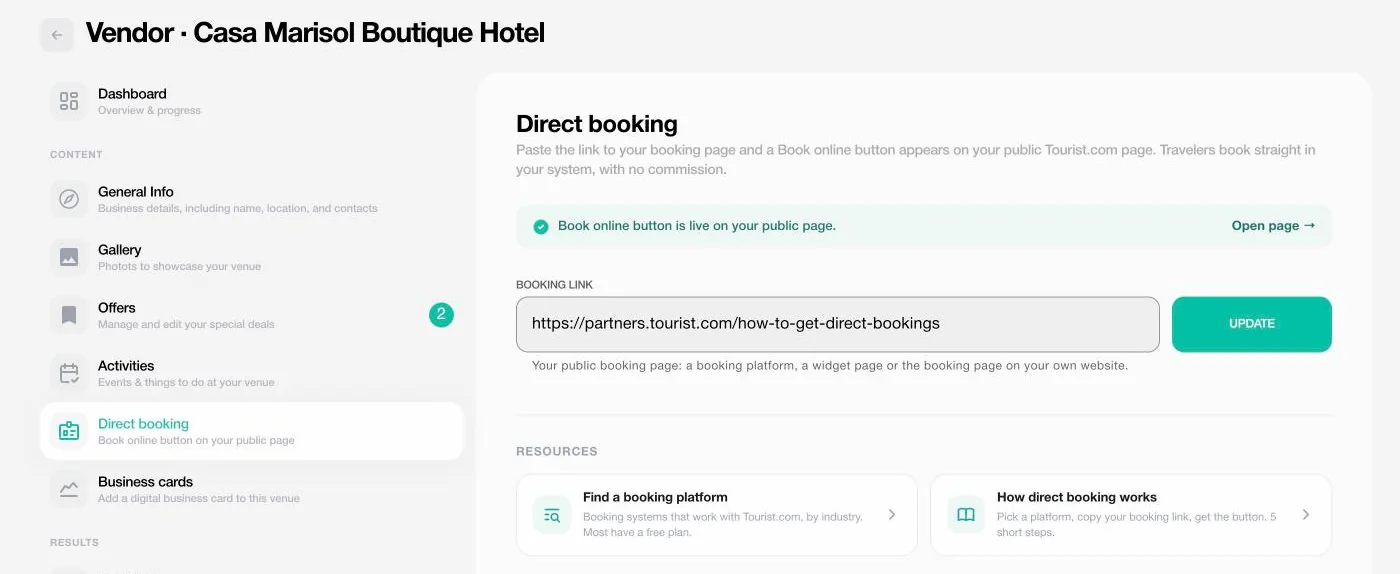
One tip from watching businesses do this: the question they get stuck on is "where do I find my public booking link in [your product]?". If you have a help article for exactly that, more of your customers end up with the button.
How to get listed
Five steps. About ten minutes on your side, and we handle the rest.
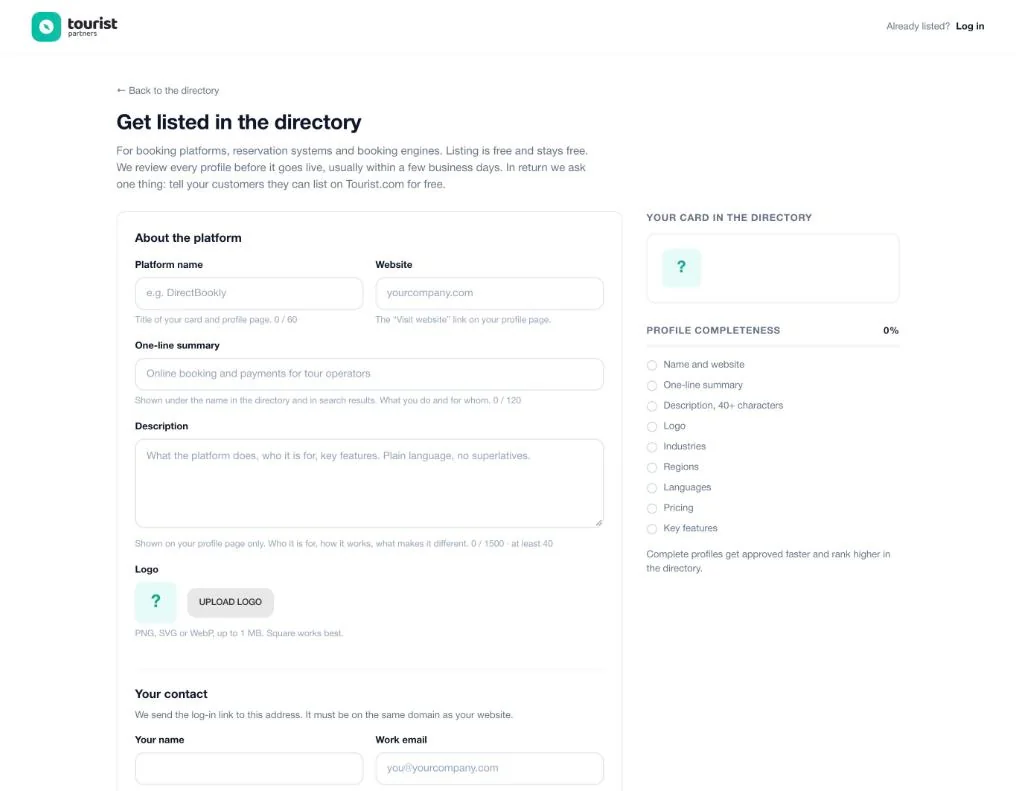
- Fill in the form. Name, website, a one-liner, a description, logo, industries, regions, languages, pricing and features. The preview on the right shows your card as you type.
- Confirm your email. We send a one-time log-in link to a work address on the same domain as your website. Gmail and the like don't work here; the domain match is how we know you actually represent the platform.
- Wait for the review. We check every profile by hand, usually within a few business days. We open the website, try the booking flow, and read the description to make sure it's honest.
- Go live. Approved? Your card appears in the directory and your page goes public. You'll get an email.
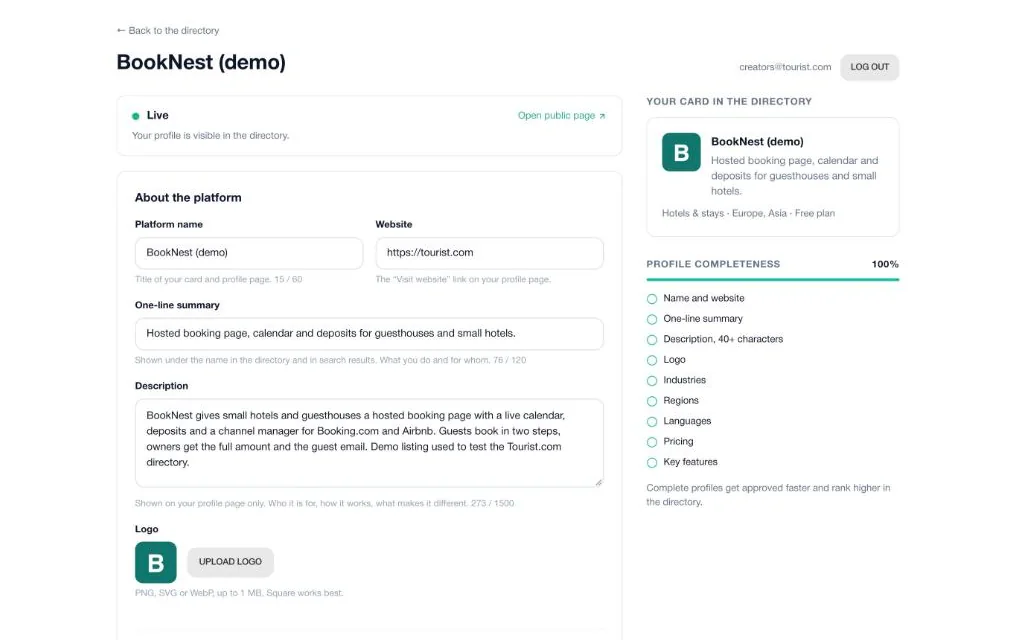
- Edit any time. Request a fresh log-in link whenever you want to change something. On a live profile we review the edits first, and the old version stays up until then.
What the statuses mean
- In review. Submitted, not public yet. You can still edit.
- Live. Visible in the directory. New edits wait for a review while the current version stays up.
- Paused. Hidden from the directory, profile kept. Email michael@tourist.com and we switch it back on.
What to tell your customers
Honestly, most businesses on your platform have no idea they can be on Tourist.com for free, or that one pasted link gets them a Book online button. A short note in your newsletter, help center or onboarding is enough. Here's one you can paste as is:
Your business can be listed on Tourist.com for free, with no commission. Once your page is live, open the partner dashboard at partners.tourist.com, go to the Direct booking tab and paste your public booking link from [Platform]. A Book online button appears on your Tourist.com page, and travelers book directly in your [Platform] account. Step-by-step guide: partners.tourist.com/how-to-get-direct-bookings
Businesses can follow our own guide for the full setup: How to get direct bookings from your Tourist.com page
The Listed on Tourist.com badge
Stick this badge on your integrations or partners page. It links to the directory, and it tells your customers the connection exists.
<a href="https://partners.tourist.com/booking-software" target="_blank" rel="noopener"><img src="https://partners.tourist.com/img/badges/listed-on-tourist.svg" width="200" height="44" alt="Listed on Tourist.com"></a>
It's an SVG served from partners.tourist.com: sharp at any size, and if we ever change the design, yours updates too.
Questions from platforms
What does it cost?
Nothing. Listing is free and stays free, and we take no commission on bookings, now or later. We ask one thing in return: tell your customers they can list on Tourist.com for free.
Do we need an API integration?
No. The button is a link. Your customer pastes their public booking page URL in the partner dashboard, and that's the entire integration.
Can we see which businesses on Tourist.com use our platform?
Your dashboard shows how many approved businesses on Tourist.com point their Book online button at your domain. The full list is on our roadmap; ask and we'll move it up.
Who can log in to our profile?
The work email you applied with. Log-in links are one-time and expire in 20 minutes, so there's no password to leak. Need a second person on it? Email michael@tourist.com.
Can we change the logo, description or regions later?
Yes, from your dashboard, any time. On a live profile we review the edits first, and the public page shows the previous version until they're approved.
We have several brands or products. One profile or several?
One profile per booking product with its own website. Each needs a work email on that website's domain.
How do we leave the directory?
Email michael@tourist.com and we pause or remove the profile the same day. Buttons your customers already set up keep working, since they point at your pages, not ours.
Who do we contact?
michael@tourist.com, for anything from a logo swap to a co-marketing idea.
Ready to be listed?
Ten minutes for the form, a few days for the review, and your platform is in front of the businesses that are already on Tourist.com.